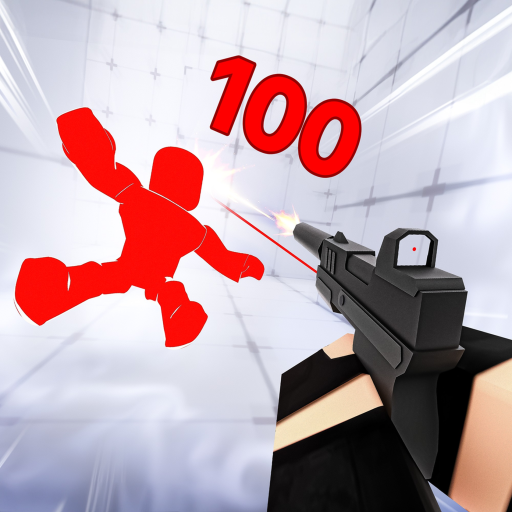
Genre
Deathmatch Shooter
Creator
Nosniy Games
Active players
161,417
Visits
15,831,736,722
Favorites
79,996,385
Max players
40
Maturity
Maturity: Mild
Discovery
Top 100 rank #7
Community reception
94% like rate
Start here
What to do first in RIVALS
This page should help players choose the next useful action quickly, especially on mobile or during an update.
Code status is source-checked from public pages unless a separate in-game redemption check is stated.
Code data on this page was last synced Jun 19, 2026; the written wiki content is reviewed less often.
Beginner snapshot
RIVALS beginner snapshot
Core loop
Build one stable loadout and learn map angles before chasing every weapon unlock.
- Keep one close-range and one mid-range answer ready.
- Learn cover and retreat routes on one map at a time.
- Track whether losses come from aim, reload timing, or panic movement.
Check first
Shooter updates can change rewards and weapon priority quickly.
- Open the codes page before ranked or duel sessions.
- Check update signals after map, mode, or weapon changes.
- Use the tier list before committing practice time.
Watch out
Random settings and loadout changes make improvement harder to measure.
- Do not change sensitivity after every short losing streak.
- Do not peek without a retreat plan.
- Do not swap every weapon at once.
RIVALS essentials
How RIVALS actually works
Fast arena FPS where a loadout of weapons and abilities — not grinding — decides fights.
RIVALS is a quick, movement-heavy shooter where you pick weapons and an ability kit and fight in fast deathmatch-style rounds. Because everyone has access to the same tools, wins come from aim, movement, and ability timing rather than unlocks. Maps and modes rotate, and progression is mostly cosmetic. Codes usually grant currency or cosmetics, not power.
Do this first
- Pick a loadout that fits your aim and movement, then learn it deeply.
- Use abilities to reposition and create angles, not just for damage.
- Control common sightlines and pre-aim corners on each map.
- Spend rewards on cosmetics — there is no pay-to-win power to buy.
Common mistakes to avoid
- Standing still to trade shots instead of using movement.
- Holding abilities too long instead of using them to escape or push.
RIVALS badges
In-game achievement badges
The most-earned badges players unlock in RIVALS, with how many have claimed each.
Welcome!
Thanks for playing RIVALS!
410.9M earned · 9% earned it · rare
Alpha Tester!
Thanks for helping us test :3
46 earned
Wiki essentials
Useful facts before opening RIVALS
Reward check
RIVALS does not have active code rows yet, so use the tracker as a watchlist instead of refreshing social posts.
Progression context
Use the wiki as a quick profile first: genre, creator, player count, visits, maturity, and related routes tell you whether the game is worth opening now.
Decision shortcut
If a reward or update changes your plan, move to the guide for the next route, the tier list for priorities, or values before trading/spending.
Game Overview
Welcome to RIVALS, the most intense first person shooter game on Roblox! Challenge other players in 1v1 to 5v5 FPS duels where the first to 5 wins! SEASON 3 - The Fame Season is here! Check out the patch notes in-game t
- RIVALS is listed under Deathmatch Shooter in the current metadata snapshot.
- 313,773 players were active at crawl time.
- 14,875,942,575 visits and 74,846,699 favorites are tracked as public Roblox signals.
Player Signals
RBXCodes uses public Roblox activity signals to decide which pages deserve code checks, guides, value snapshots, and internal links.
- Discovery label: Top 100 rank #2.
- Source tags: top-playing-now, top-earning, top-revisited, survival, shooter.
- Pages with stronger player activity should be refreshed more often during updates and events.
Weapons and Loadout Planning
RIVALS players need quick routes into weapon choice, aim practice, map control, and reward timing. This wiki connects those search intents to the guide, tier list, and code tracker.
- Pick one reliable close-range and one reliable mid-range option before chasing every unlock.
- Review map angles and cover before changing sensitivity or crosshair settings again.
- Use the priority tier list to decide which unlocks deserve practice time first.
Codes and Update Windows
Shooter updates can change reward timing, player demand, and loadout priorities quickly. Check source status before a long ranked or duel session.
RIVALS source-checked codes
Check the code tracker before a long farming session.
RIVALS update signals
Check activity and update windows that often move code, form, and farming searches.
- Use the codes page for reward status and expired-code history.
- Check events when player activity spikes, because that can indicate new maps, modes, or limited rewards.
- Return to the guide after updates to reset your practice route.
Useful RBXCodes Links
The wiki page is a hub that connects RIVALS players to rewards, guides, rankings, and demand snapshots without forcing them through a long article first.
- Open the RIVALS codes page before long play sessions.
- Use the RIVALS guide when you need a quick start route.
- Check the RIVALS value snapshot for demand and engagement context.
FAQ
What is RIVALS on Roblox?
RIVALS is a Deathmatch Shooter experience tracked by RBXCodes using public Roblox metadata and activity signals.
Does RIVALS have codes?
RBXCodes keeps a code page for RIVALS. If no active rows are listed, the page still tracks the game for future reward updates.
What should I check first in RIVALS?
Start with this wiki for weapons, loadouts, map control, code checks, and ranked practice, then use the related codes, guide, tier list, and event pages to confirm current reward and update context.
How often is this RIVALS wiki updated?
The wiki snapshot is regenerated by the automated RBXCodes sync pipeline.